Showing posts with label mobile. Show all posts

Monday, March 30, 2009

Make unlimited free calls from your mobile

This topic is related to mobile phones and its properly working,i've tried it!!This trick will help you in calling unlimited free calls to any mobile from your mobile phone and even you can call to any other country.All you need to do is just go to www.minowireless.com and sign up for a free account.

After signing up you can make calls from your mobile to any other mobile.For making calls from your mobile download the minowireless software or you can also download it from www.getjar.com.

After installing the software,you will be asked to enter the PIN,just put the same PIN number that will be given to you wile signing up on minowireless.So enjoy making free calls from your mobile and subscribe to my RSS Feed.

                                         **********************
                         Subscribe to the Learning Scope RSS Feed 

Thursday, February 26, 2009

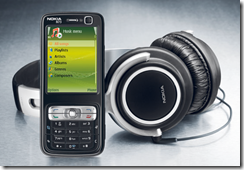
Tips and Tricks for Nokia N73


On this blog i wrote about the various technological products and some hacking tips.But today i am going to write something different that most of the readers liked to know.So today i will tell you some important tips and tricks for Nokia N73.


1. Some secret Codes(Works with all Nokia Mobile Phones):
    Display your IMEI No. by pressing *#06#
    Display your Version by pressing *#0000#
    Display your Bluetooth Address by pressing *#2820#
    Display your Life Timer by pressing *#92702689#
    Reset your Device by pressing *#7780#

2. Upgrade your Nokia N73 to Nokia N73 Music Edition:
     (i) First of all Download and install Nemesis Service Suite and The latest Nokia Software Update. 
     (ii) Now connect your phone and wait for the Windows to install the drivers.
     (iii) Now open "Nemesis Service Suite" and click "Scan for new devices".
     (iv) Click on the icon "Phone Info".
     (v) Click on "Scan".
     (vi) Change your product code to 0539343 and mark the "Enable".
     (vii) Now press "Write" and your product code will be automatically changed.
     (viii) Now close "Nemesis Service Suite" and run the "Nokia Software Update".
     (ix) Now when you restart your phone,it will be the Nokia N73 Music Edition.

                                                          ******************************
                                                   Subscribe to the Learning Scope RSS Feed